Best Baby Photo Ideas for Social Media Announcement
From cozy blanket wraps to AI-enhanced portraits, the best baby photo ideas for social media announcements are simple, heartfelt, and easy to do at home. Focus on natural light, personal touches like name reveals, and including siblings or pets for a unique touch. AI tools can help turn your phone photos into studio-quality images without leaving the house.
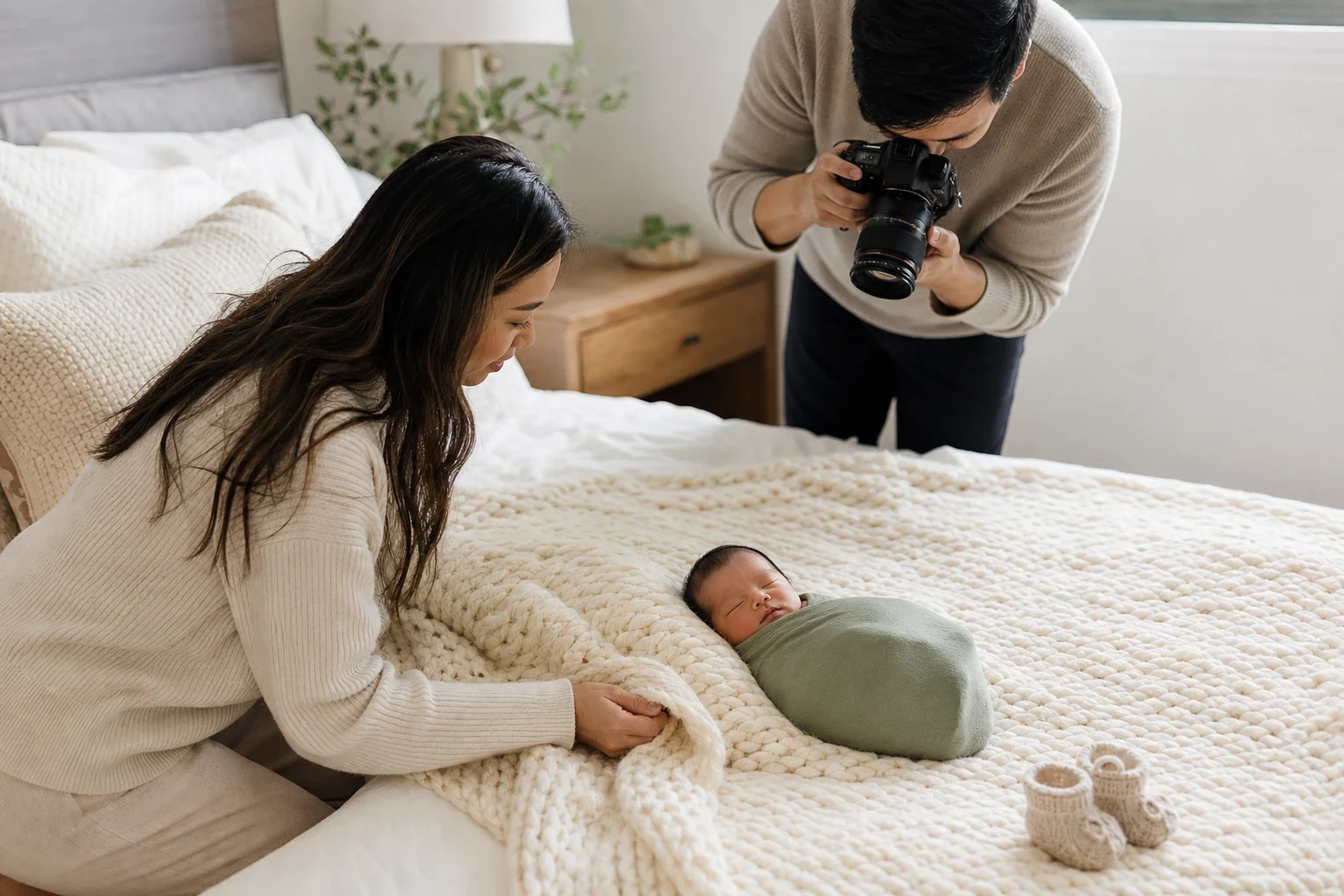
Announcing your baby's arrival on social media is a moment you'll cherish forever. A great photo captures your new addition's joy, love, and personality—no pro photographer or pricey props needed. Here are some easy, heartfelt baby photo ideas for social media announcements you can do at home.
The Cozy Blanket Wrap
Use a soft, neutral blanket for a timeless look
A simple, soft blanket in neutral tones like cream, gray, or pastel makes a timeless backdrop. It keeps the focus on your baby's sweet face and tiny features, giving the photo an intimate, classic feel.
Perfect for newborns and easy to do at home
Just lay the blanket on a bed or the floor, place your baby gently on top, and tuck the edges around them for a snug look. Natural light from a nearby window adds a soft, flattering glow. You don't need special equipment, and it takes minutes.
Sibling Love Snap
Capture the bond between siblings
Including older siblings makes the moment even more special. Have them hold the baby gently, give a kiss on the forehead, or sit close together. Their genuine interaction often leads to the most heartwarming shots.
Use natural light for a warm, inviting feel
Place the siblings near a window with soft, even light. Overcast days are perfect since the diffused light reduces harsh shadows. Get natural smiles by talking to them or making them laugh instead of asking for poses.
Pets and Baby Together
Include your furry family members
Pets are family too, and adding them to the announcement brings a fun, personal touch. Whether it's a dog nuzzling the baby or a cat peeking into the crib, these moments are priceless.
Ensure pets are calm and supervised
Safety comes first—make sure your pet's comfortable and calm around the baby. Have another adult nearby to supervise and guide the pet into the frame. Treats and gentle encouragement help keep them relaxed during the shoot.
Seasonal Themes
Match the announcement to the current season
Seasonal themes make your announcement feel timely and festive. Think pumpkins and autumn leaves for fall, fresh flowers for spring, or a cozy holiday setup for winter. These props add color and context without overwhelming the photo.
Use props like pumpkins or flowers for a festive touch
Keep props simple and baby-safe. A small pumpkin nearby, a sprinkle of flower petals, or a seasonal onesie can subtly show the time of year. The goal is to enhance the photo without stealing the spotlight from your baby.
AI-Enhanced Baby Photos
Turn ordinary phone photos into studio-quality images
If you're dreaming of a pro look without the studio session, AI can help. Tools like AI baby photoshoot themes turn your phone photos into stunning portraits with themes like woodland fairy or sleepy teddy bear—no studio needed.
Choose from fun themes without leaving home
Upload your favorite photos, pick a theme that fits your style, and let the AI handle the rest. You can go for a whimsical moon and stars backdrop or a delicate cherry blossom setting. The options are endless, and it's a hassle-free way to create something unique.
The Name Reveal
Spell out the baby's name with blocks or letters
Make your announcement extra personal by including your baby's name. Wooden blocks, lettered onesies, or a handwritten sign can beautifully showcase it. This adds a special, individual touch to your announcement.
Keep it simple and personal
Avoid clutter with a clean background and simple props so the name stands out. It's a great idea if you've kept the name a surprise until the big reveal.
Ready to Create Your Perfect Announcement?
Whether you're shooting at home or using AI enhancements, what matters most is capturing the love and joy of this special time. Try Family Pictures AI to turn your favorite moments into stunning announcements you'll treasure forever.
Frequently Asked Questions
How can I make my baby announcement stand out on social media?
Focus on personal touches like including siblings or pets, using seasonal props, or revealing the baby's name creatively. Natural light and simple setups often give the most striking, authentic photos.
What are some easy DIY baby photo ideas?
The cozy blanket wrap, sibling love snaps, and seasonal themes are all easy to do at home with minimal props. AI tools can also help turn your phone photos into something special without professional equipment.
Can I use my phone for professional-looking baby photos?
Absolutely! Modern phone cameras capture high-quality images, especially in natural light. AI enhancements can refine your photos for a studio-quality finish.
How do I include siblings in the baby announcement?
Capture natural interactions like gentle holds or kisses. Place them near a window for soft light and encourage genuine smiles instead of poses for the most heartwarming results.
Are there AI tools to enhance baby photos for announcements?
Yes, AI can turn ordinary phone photos into themed, studio-quality images. Options range from woodland fairy to cherry blossom themes, making it easy to create a unique announcement from home.
What are some creative themes for baby announcement photos?
Try seasonal touches like autumn leaves or spring flowers, whimsical AI themes like moon and stars, or simple, personal ideas like spelling out the baby's name with blocks or letters.